Talk instead of typing
Hold Right Ctrl, say it, let go, and the words appear wherever your cursor is: a terminal, a browser, your editor, mail or chat. Whisper runs on your own PC, so nothing you say leaves it.
Try it here
Hold Right Ctrl and talk. Let go, and it types.Press and hold the button and talk. Let go, and it types. Whisper runs inside this tab, so what you say stays here.
agent · waiting for instructions
>
Vocabulary
Rules fix what Whisper hears, the same way they do in the app.
| When I hear | Write |
|---|---|
| web view two | WebView2 |
| c sharp | C# |
| kube control | kubectl |
| web view to | WebView2 |
The live demo needs JavaScript.
That’s Murmur, more or less. On your PC it types into any app, and uses a bigger Whisper model on your graphics card, so it’s more accurate than this.
Everything from here runs in this tab. Turn off Wi-Fi and try again.
What it does
I built Murmur after typing out one too many answers to Claude that I could have just said. Now I talk, and it types.
Hold to talk
Hold Right Ctrl, or a hotkey you choose, and speak. Let go and the text lands in the app you were using.
Hands-free
Tap the hotkey to start and tap again to finish. Esc cancels.
Stays out of the way
A small pill shows while you speak and while Murmur transcribes. It never takes focus.
Your words, spelled your way
Hint words help with names and jargon. Replacement rules fix anything it still gets wrong.
Nothing gets lost
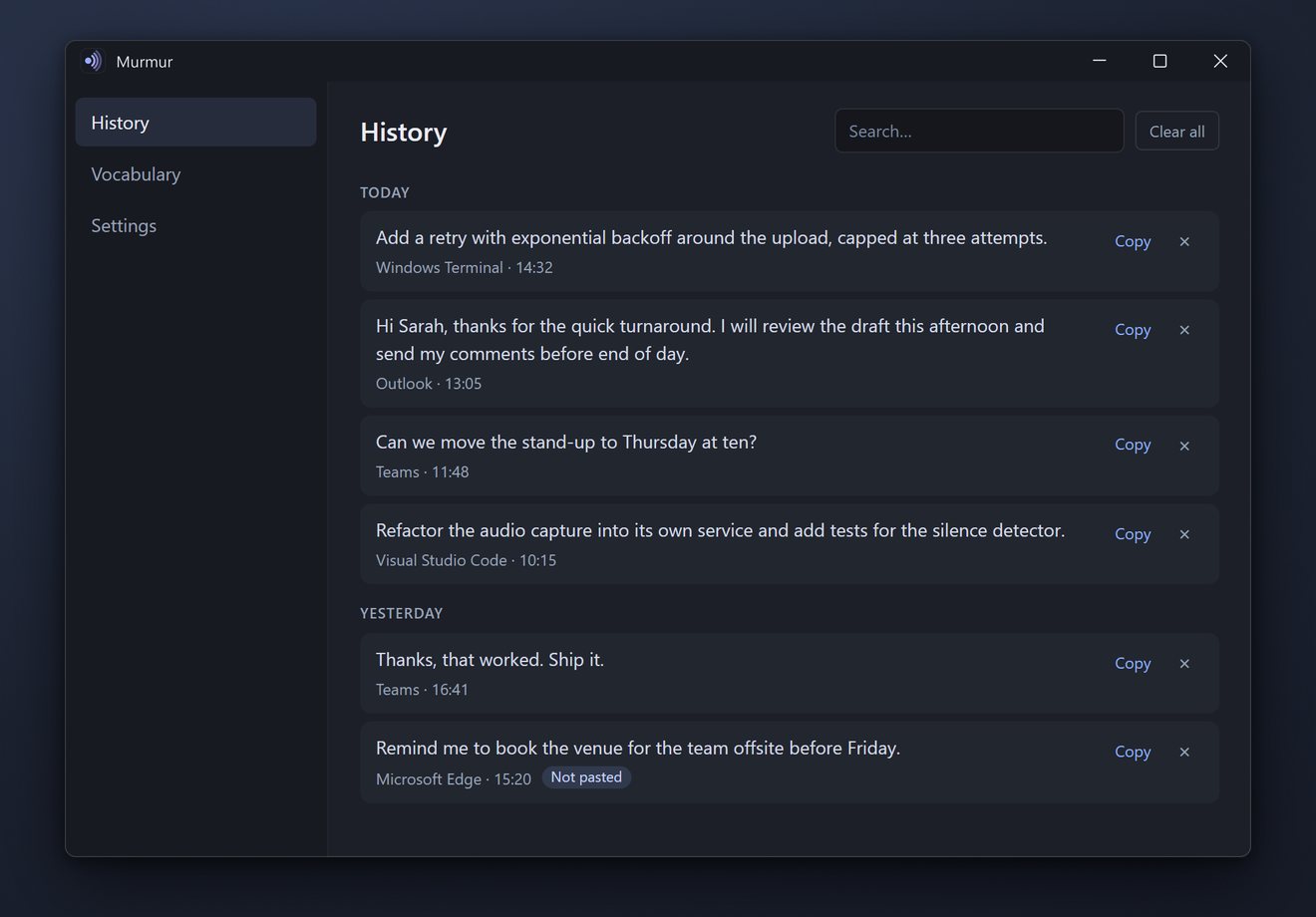
Every dictation is kept in a searchable history with one-click copy, even when a paste couldn’t happen.
Your clipboard is left alone
It’s put back after each paste, and Murmur’s own clipboard use stays out of Windows clipboard history.
Private
No account, no cloud, no telemetry. The privacy policy is one page.
Open source, MIT
C#, WPF and React, with whisper.cpp underneath. Read it on GitHub.
The app
Getting it
Murmur is coming to the Microsoft Store. Until then, the code is on GitHub, and it builds with the .NET 10 SDK.
- Windows 10 version 2004 or later, or Windows 11 · x64
- A microphone
- The WebView2 runtime, part of Windows 11 and current Windows 10
- About 1.6 GB for the speech model, downloaded on first start
- Fastest with an NVIDIA GPU and CUDA 13. Otherwise Vulkan or the processor
- English only. Can’t type into apps running as administrator